
Authentication
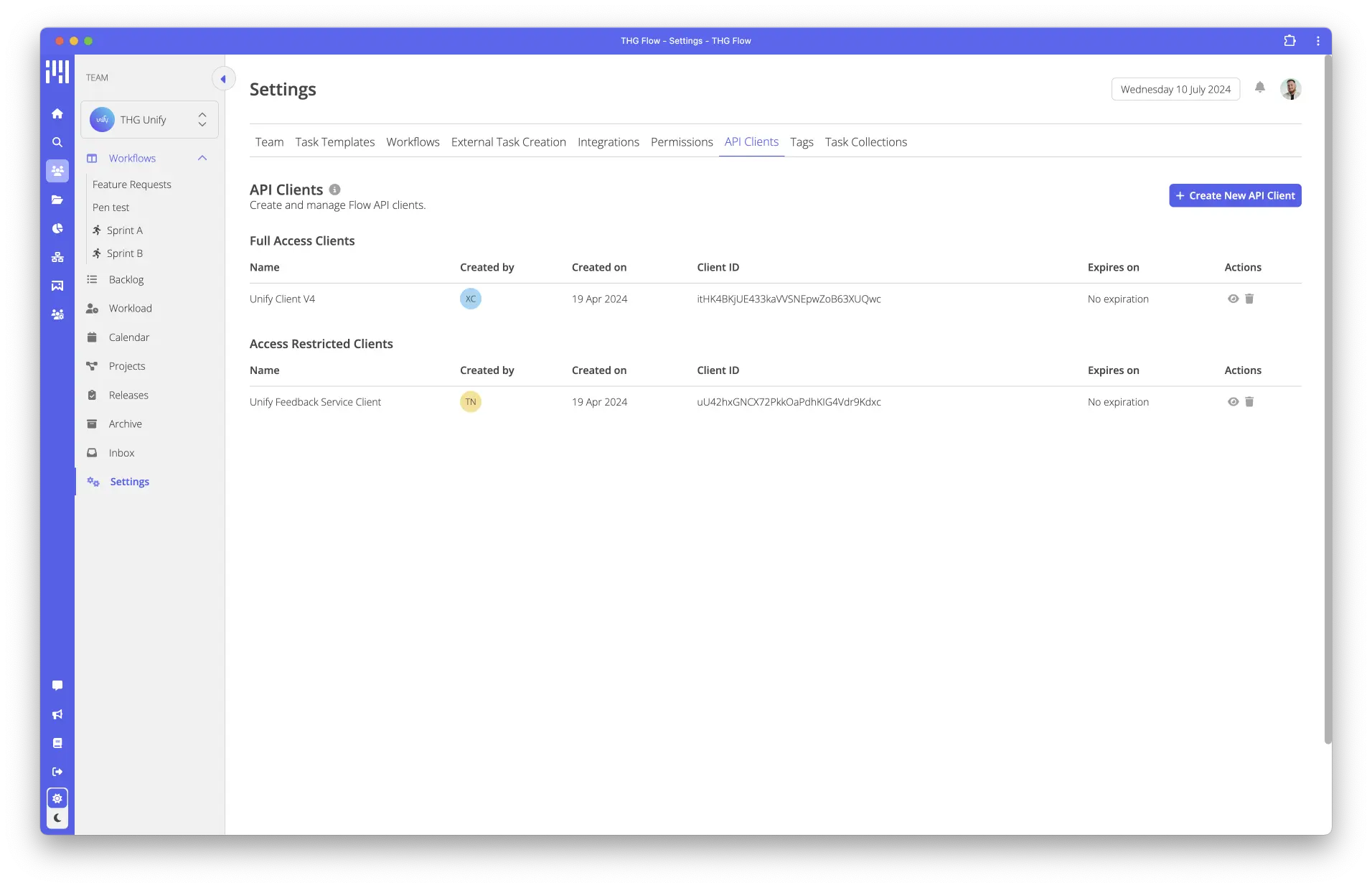
To use Flow’s AudioParam, you must first obtain a client_id and client_secret for your team, this can be found by heading to API Clients under your team settings. These should be kept safe and stored securely.
Once you’ve got your client_id and client_secret you can exchange these for an access_token by making a post request to our authentication provider “Auth0”
Obtaining an access token (Python)
token_url = 'https://unify.uk.auth0.com/oauth/token'
flow_base_url = 'https://thgflow.com/api'
client_id = ''
client_secret = ''

curl --request POST \
  --url https://unify.uk.auth0.com/oauth/token \
  --header 'content-type: application/json' \
  --data '{"client_id":"","client_secret":"","audience":"https://thgflow.com/api","grant_type":"client_credentials"}'

def get_token():
    form_data = {'client_id': client_id, 'client_secret': client_secret, 'scope': 'openid', 'grant_type': 'client_credentials'}
    resp = requests.post(token_url, form_data)
    return resp.json()['access_token']