
Task
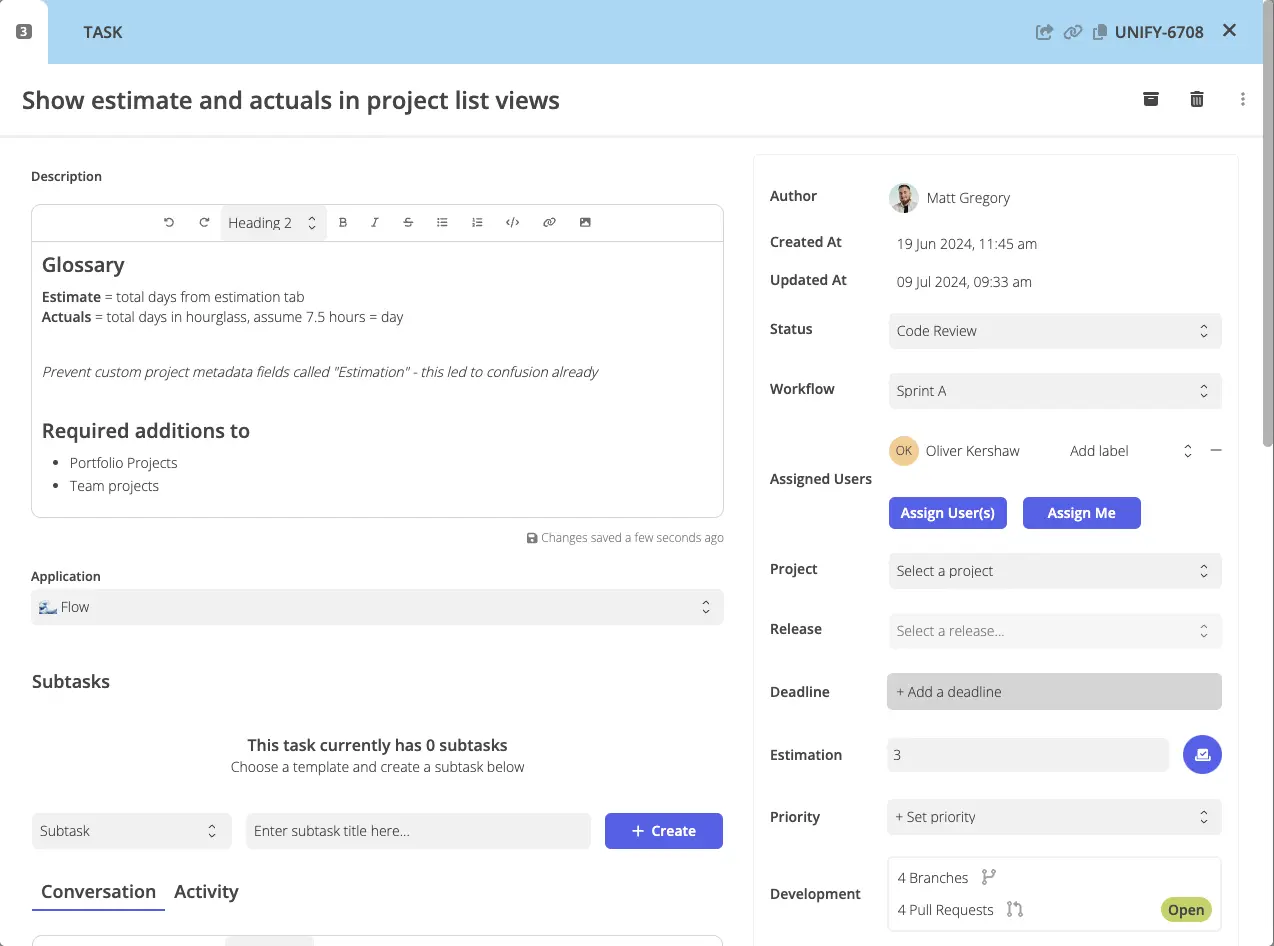
Tasks are the foundation of all work in Flow. They represent a unit of work that should be completed. By default, tasks have some built-in information, most of this can be found on the right hand side of the task window.
Tasks can have one or more assigned users, usually these users will be within the team.
Users can leave comments on tasks and these comments can contain rich text formatting including images and ”@” mentions.
Tasks may have start and end dates, adding these allows the task to show up on various timeline views available in workflow and project views. A deadline may be used if it’s different from the task’s end date.
The task’s code is a sequential number. Each task in a team will have a number that is one greater than the task before - this provides a friendly identifier when referring to a specific task.
You can find a specific task (access dependent) by going to thgflow.com/task-id-here or thgflow.com/task-code-here
Tasks can be part of both a workflow and a project, or neither (if it’s in the backlog).
Task Templates
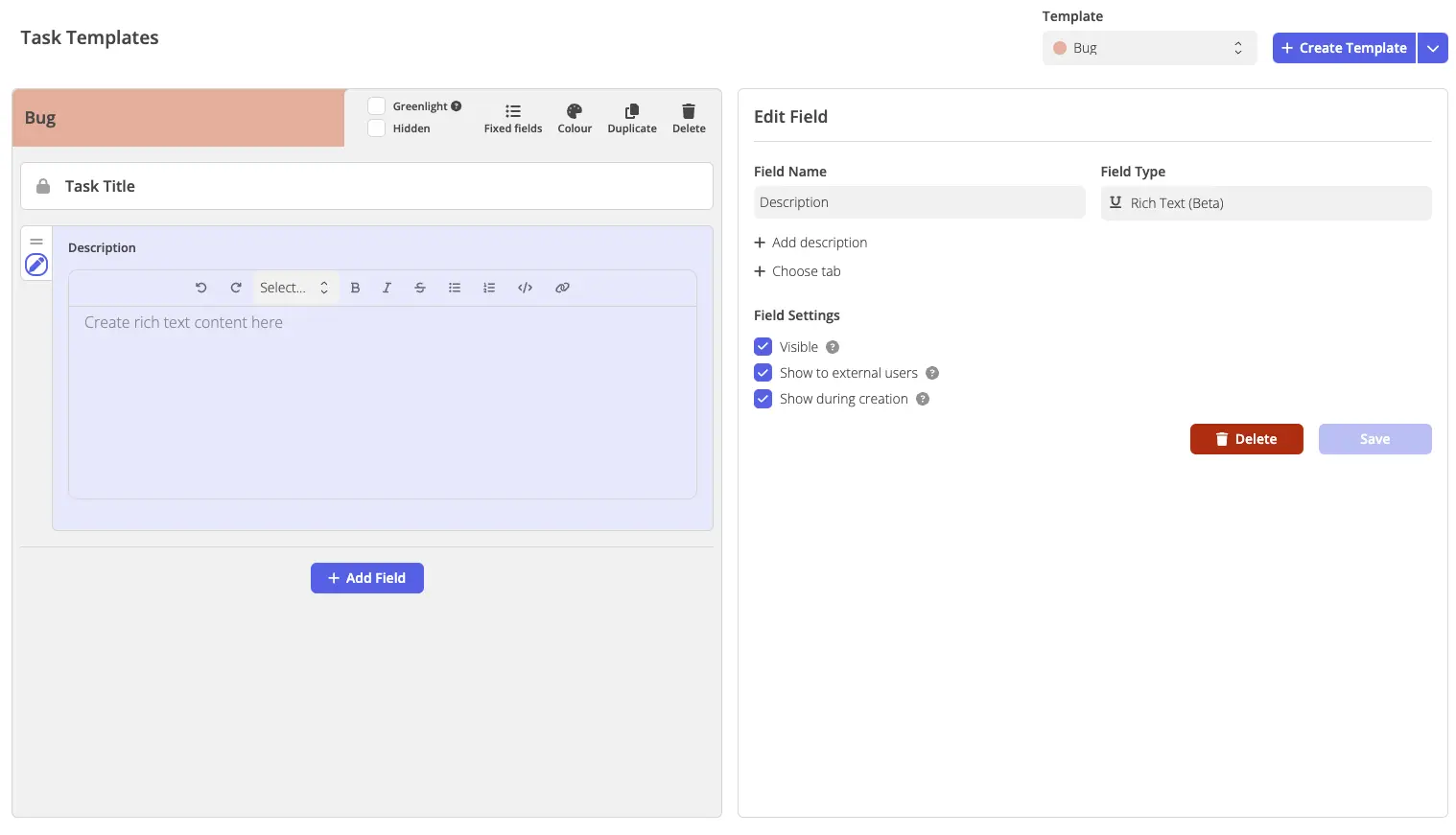
Flow aims to be as flexible as possible, every task has a “task template” which defines which fields a task has and if they are required. This enables complete flexibility for you to capture whatever information you need for a given type of work.
You can add as many templates as you need in settings. Most attributes can be configured throughout it’s lifetime so feel free to make changes if required.